Dream 4 / Help Desk
Help desk built for IT teams
Ticketing built for teams who repair hardware. Every ticket connects to the asset, user, warranty, and parts. Unlimited technicians, free.
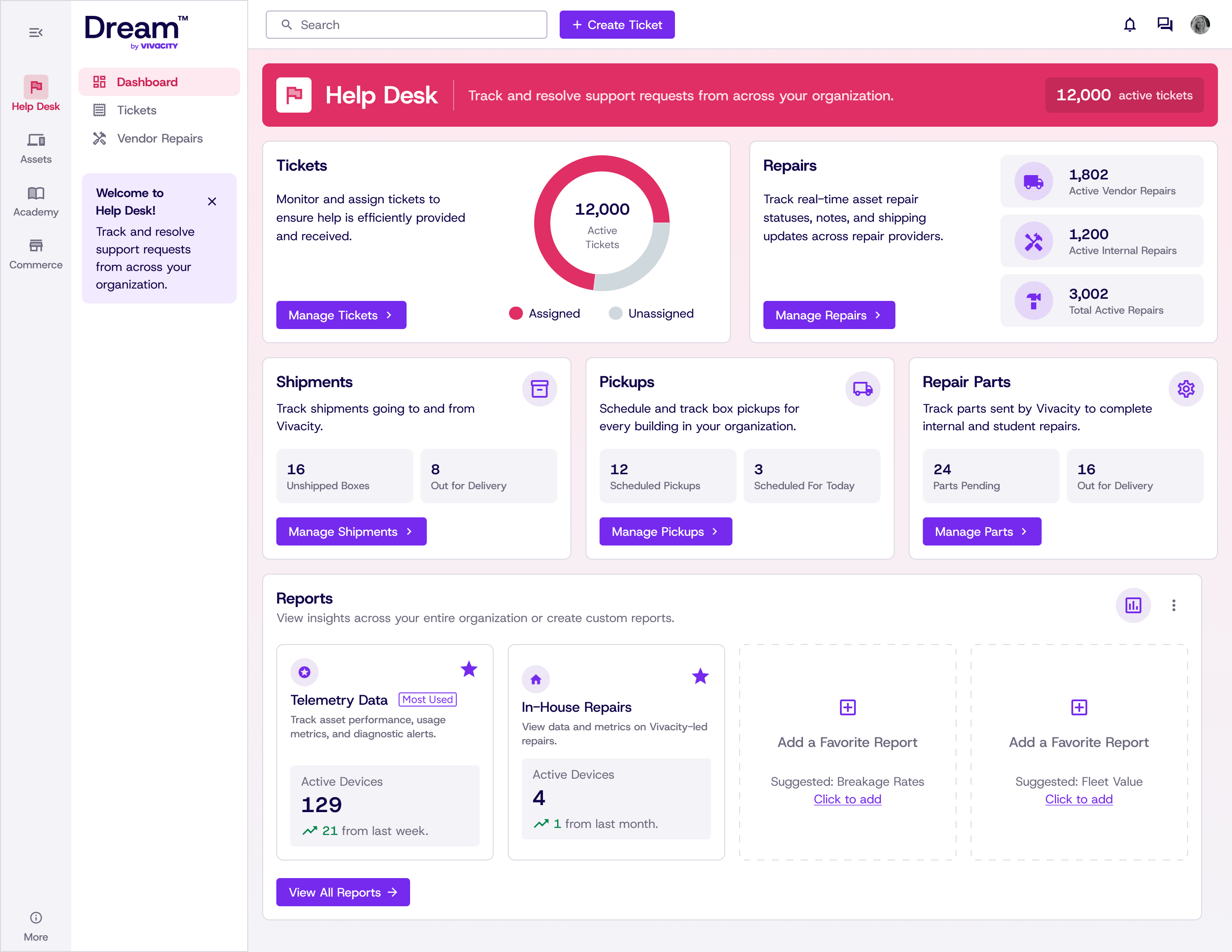

Dream 4 / Help Desk
Ticketing built for teams who repair hardware. Every ticket connects to the asset, user, warranty, and parts. Unlimited technicians, free.
The problem
Dream starts with the asset, connecting each device to its tickets, repairs, parts and warranty history. Traditional help desk systems like Zendesk and Freshdesk focus on customer questions and support requests. For IT teams, that can mean managing inventory in a separate system and repairs in a spreadsheet. Dream brings those records together, so your team can follow the work from asset to ticket to repair in one place.
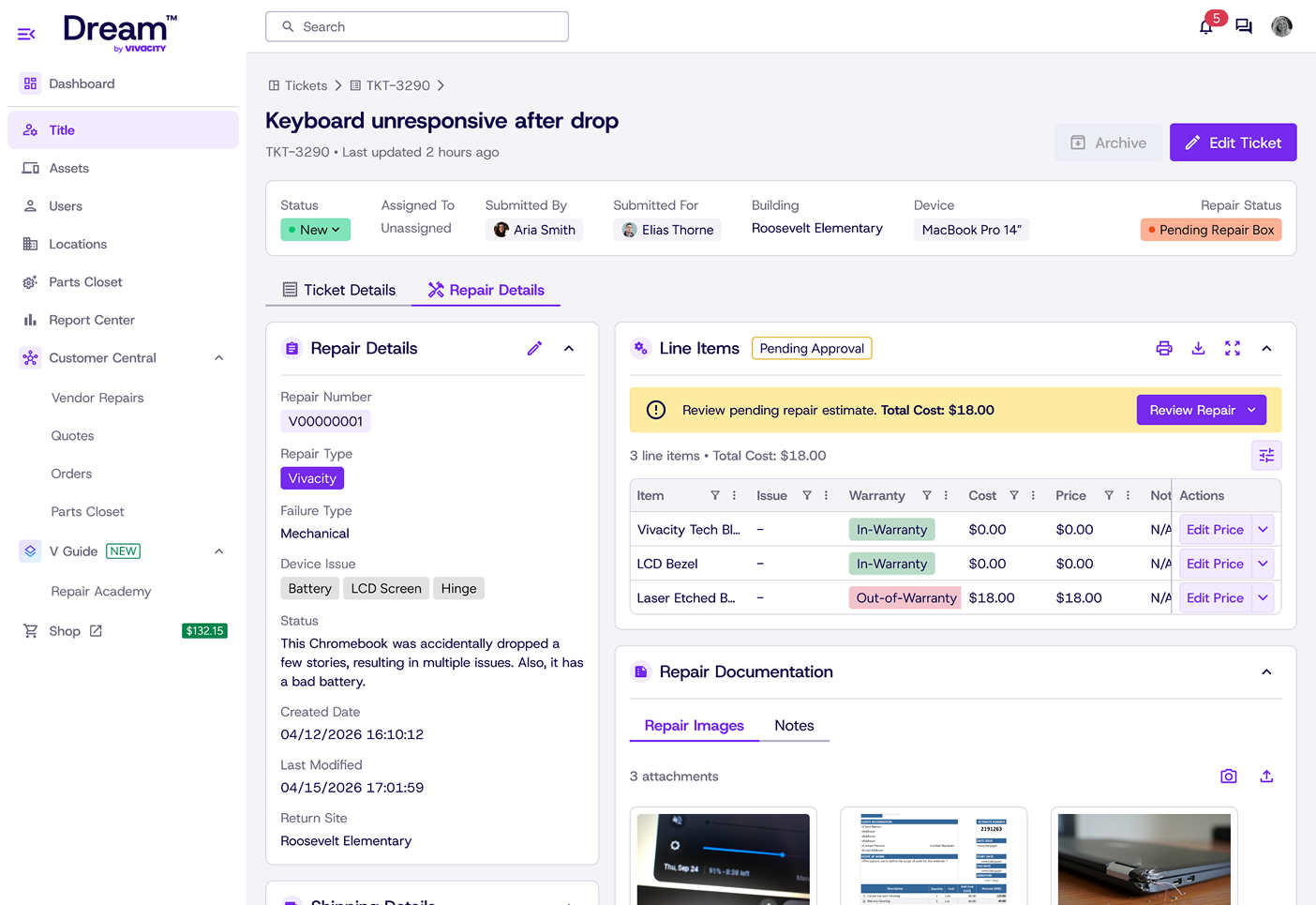
Built into Dream, not bolted on. Every repair is a record attached to the ticket that created it, with its own repair number, workflow, parts and labor. Vendor repairs, user-damage repairs and internal bench repairs each follow their own path. In other systems, repair may be a single dropdown value on a ticket. In Dream, it is the actual recorded work.
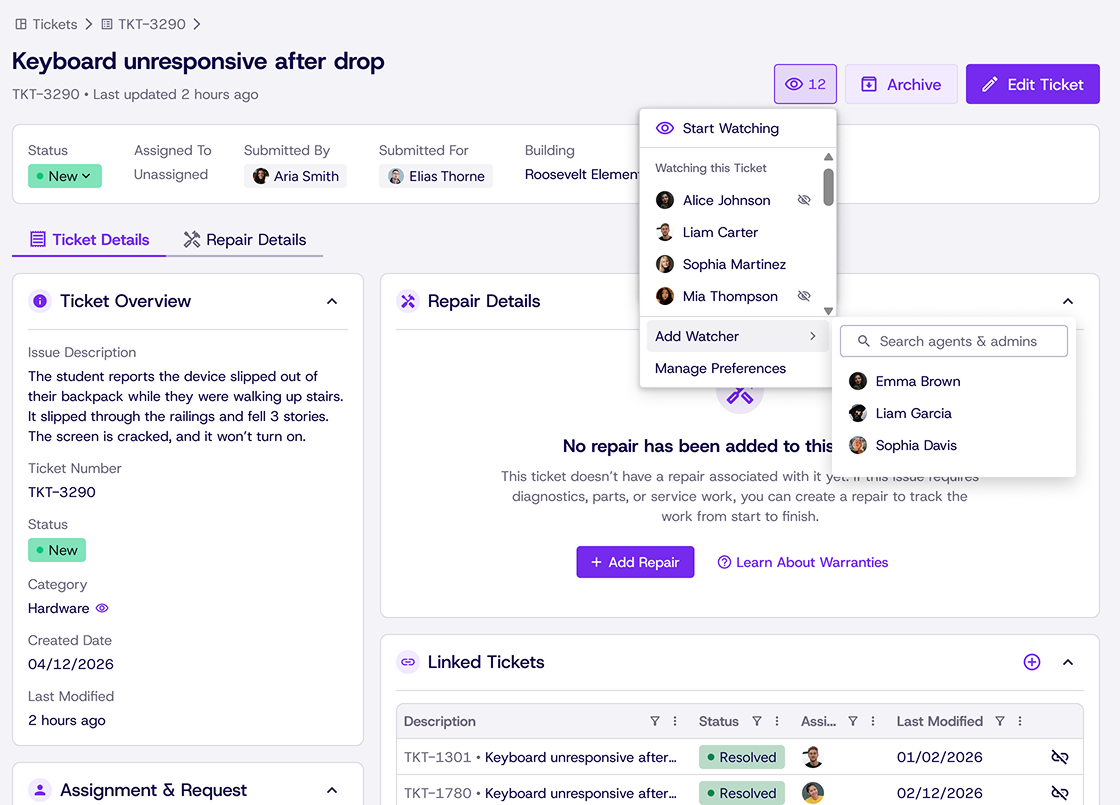
Open a ticket to access direct links to the asset, its full assignment history, warranty status and every previous repair performed on it. Spot recurring issues, such as a third damage-related repair for the same device assigned to the same person. The serial number is available right in context, without asking the requester or switching to another system.
Route by location, device type, issue category, or technician skill. Set your own statuses, priorities, and SLA targets. Templates for the fifteen issues that make up ninety percent of your volume.
A request portal your users can actually use, plus a knowledge base so the same five questions stop becoming tickets. Requesters get automatic status updates through in-app notifications or email.
Connected by design
Tickets, assets and repairs share connected records. Ticket history stays with the asset, parts used in repairs update inventory, and those details flow into reporting.
How one ticket moves through Dream
The request that opens the work.
Ticket history is recorded on the associated device.
Inventory is automatically updated based on the parts used in the repair.
For example, which building breaks the most screens.
Enter it once. Everything stays in sync because the records are connected.
Dream provides an easy way to import your historical ticket data. Ticket history comes in by CSV, with self-service imports included free. If you prefer our team to handle the migration, white-glove onboarding is an optional paid add-on. Your imported history stays searchable in Dream.
Unlimited technicians. No per agent fees.