
Four modules.One platform.Free.
Help Desk, Assets, Academy and Commerce for teams managing devices, support and repair. Manage your fleet, support your team, build your skills and buy the parts and assets you need.
Dream 4
Four modules, one system of record
Help Desk, Assets and Commerce work from the same asset records. Academy builds your district’s skills in Google Admin console and Google Workspace. The software costs nothing.
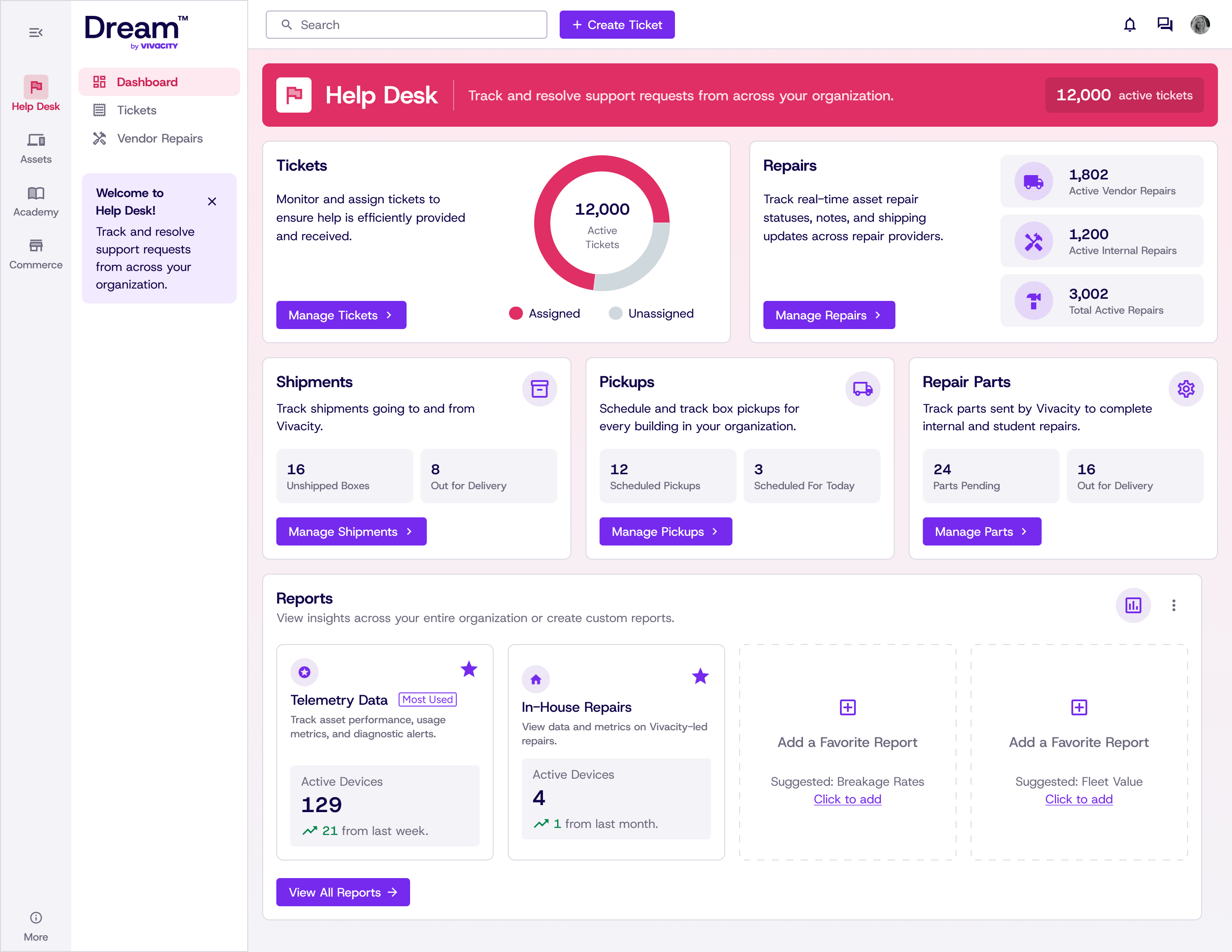
Tickets and repairs tied to the asset
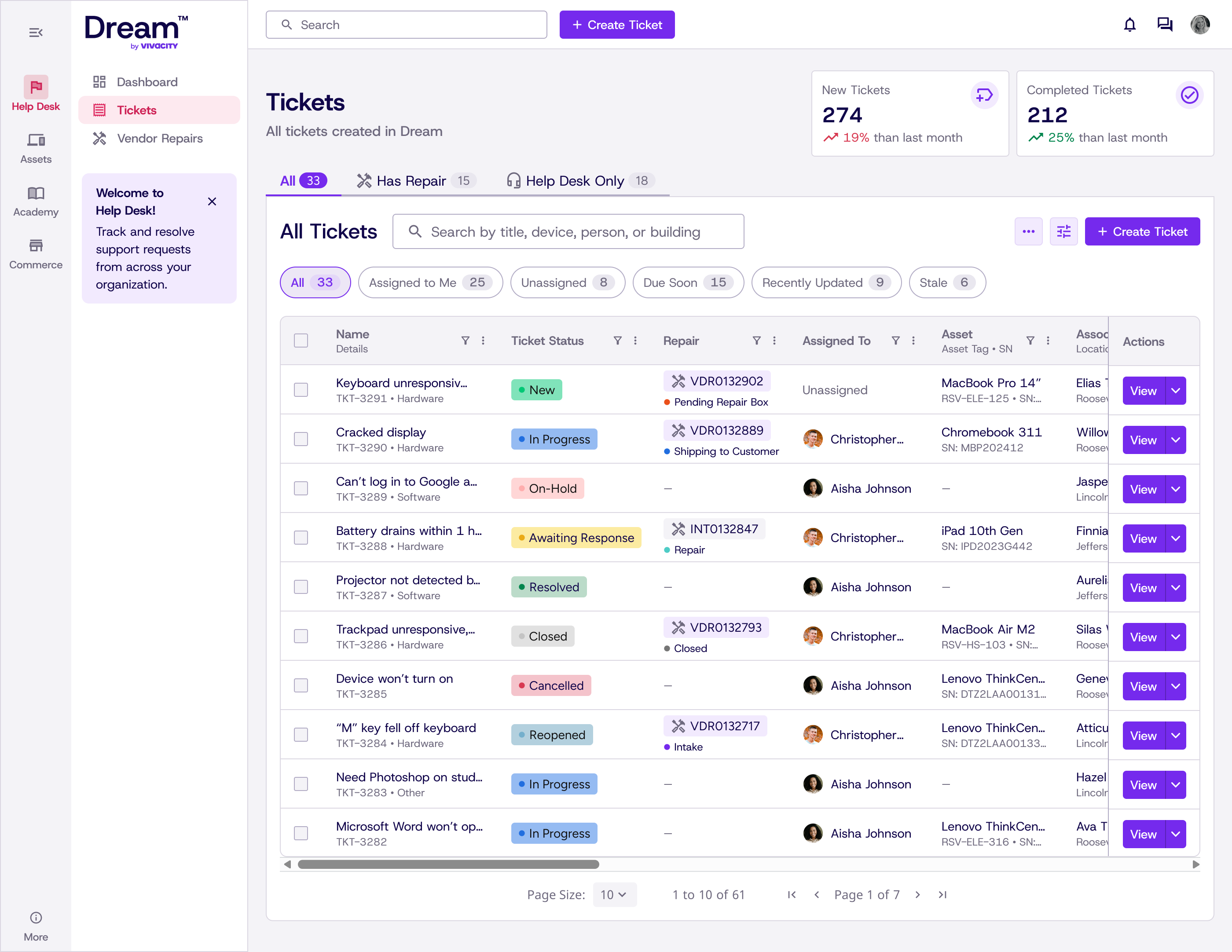
Helpdesk, vendor and internal tickets in one queue. Repairs live inside the ticket with their own parts, labor and warranty status.
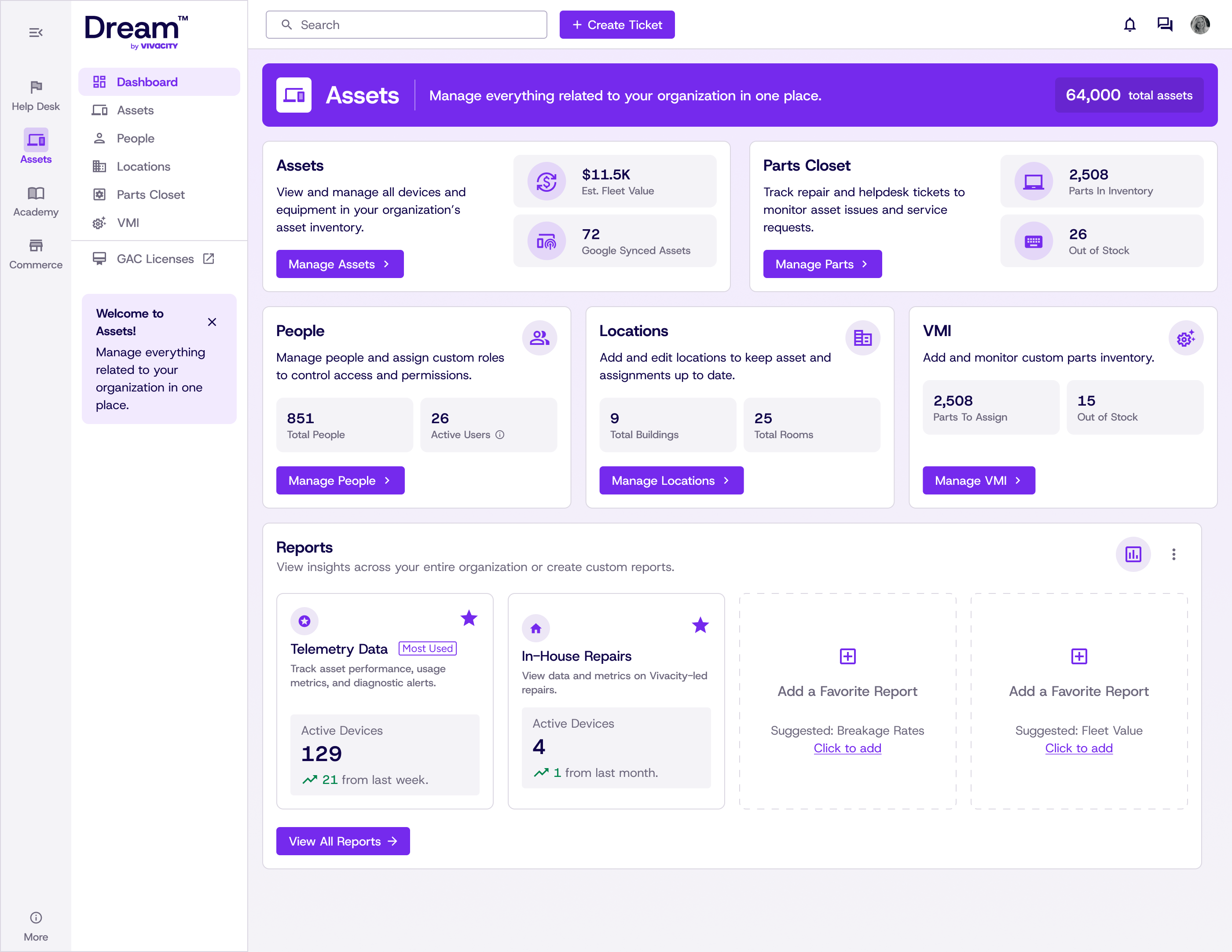
Explore Help Desk 02 AssetsKnow where every asset is and who had it
Intake, assignment, transfers and disposal on one timeline, with live status from Google Admin and Intune and bulk actions across the fleet.
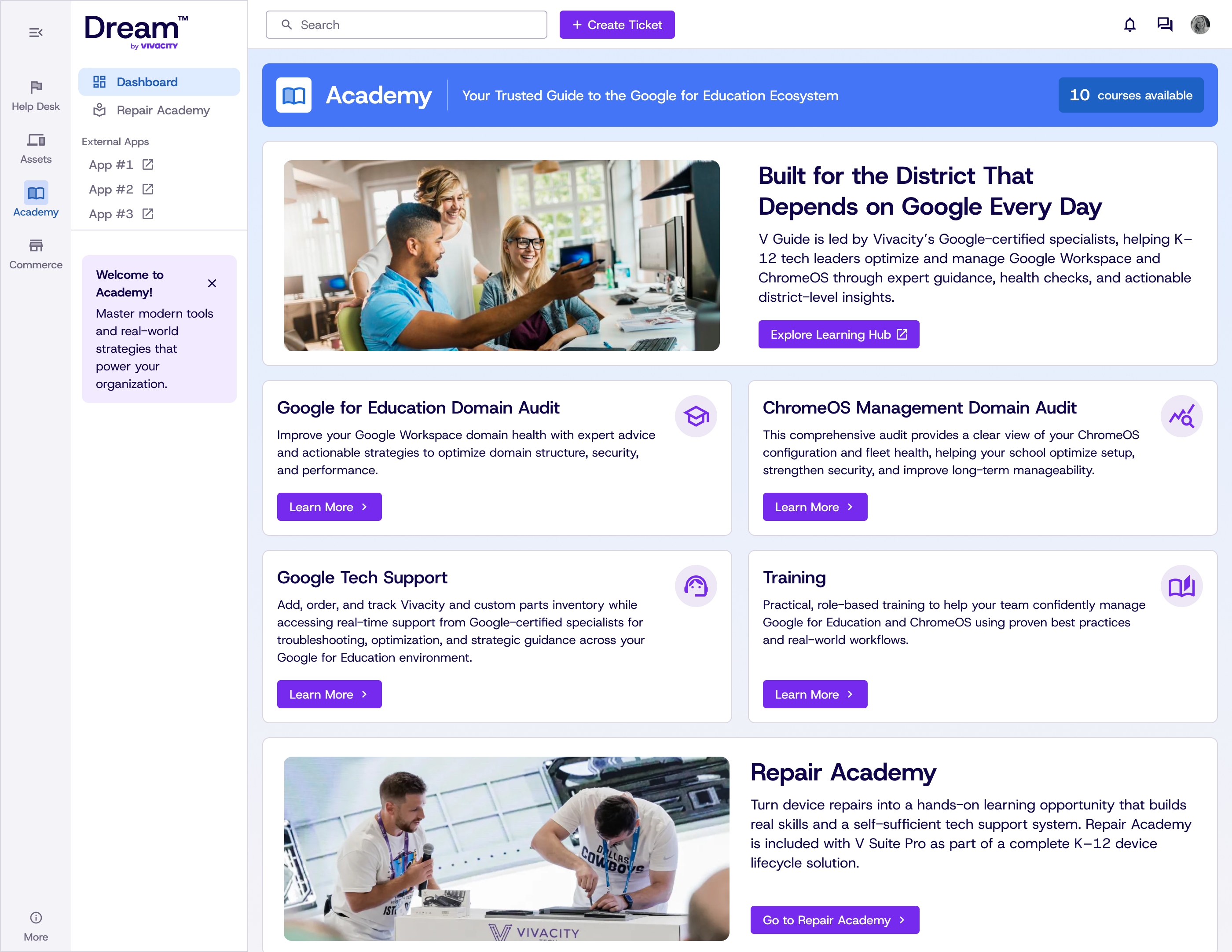
Explore Assets 03 AcademyBuild your Google Admin console skills
Professional development for your whole district, from classroom teachers to IT and support staff. Master Google Workspace tools and practical strategies at your own pace.
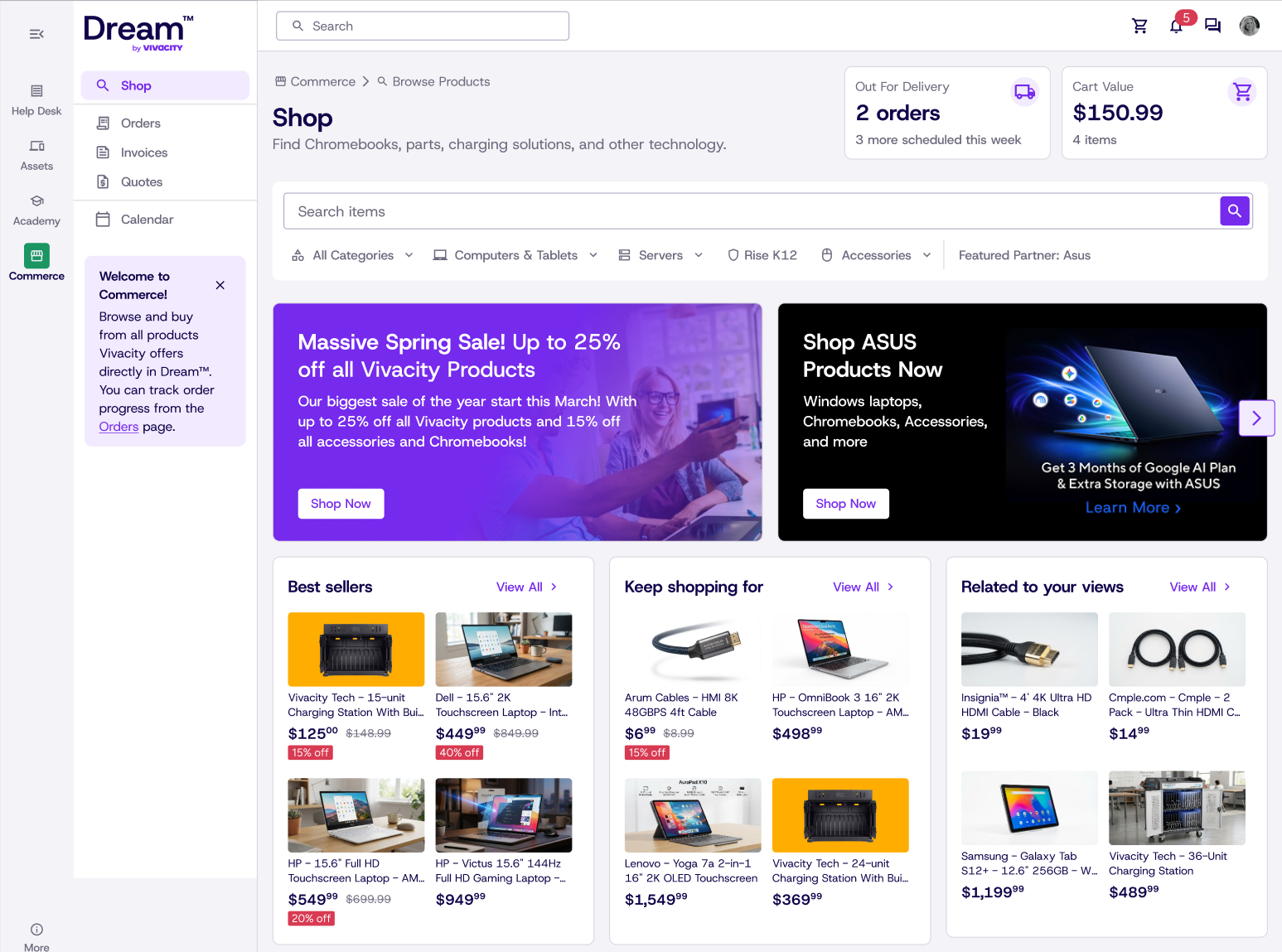
Explore Academy 04 CommerceBuy parts and assets, connected on purchase
Parts and assets bought through Dream are integrated with your Dream account and locations when you purchase. Those purchases are what keep the platform free, and they are never required.
Explore CommerceSupporting platform capabilities
- Reporting Repair volume, failure types and cost per device, live
- Google Admin actions Move OUs, update asset IDs, disable and deprovision in bulk
- IntegrationsGoogle Admin Console, Intune, Incident IQ, NetSuite
Did we mention it’s free?
Pricing
All four modules. Every fleet size. $0.
Dream is funded by the hardware and parts you already buy, so the full platform carries no license or seat cost. Self-service setup is free too.
The whole platform
$0
No plans, no tiers, no locked features. Sign up and start working.
Get Started- Help Desk tickets, repairs and parts
- Assets for unlimited devices
- Academy learning
- Reporting and dashboards
- Bulk actions and Google Admin controls
- Google Admin, Intune, Incident IQ and NetSuite integrations
- Bulk CSV import and export
- Unlimited technicians and locations
- Commerce Coming soon
- Open API: free up to 500 calls
Optional add-ons
Choose extra connectivity or hands-on help only if you need it. Your platform stays free either way.
Open API
Connect Dream data to your own systems. Open API is free up to 500 calls; additional calls are charged.
White-glove onboarding
Get hands-on help with inventory imports and account setup.
Introducing
Dream 4
What you had before, and what you get now.
Explore the highlights side by side.
-
Assets
Dream 3
Chromebook-first, synced from GAC, with limited bulk actions.
Dream 4
Apple, Microsoft and other OEM devices, bulk CSV assignment, warranty dates, licenses and funding sources.
-
Help Desk
Dream 3
Tickets and repairs in separate places; clunky to tie to an asset.
Dream 4
Rebuilt Tickets with repairs as child records, priorities, tags, sub-tasks, time tracking and surveys.
-
Sign-up
Dream 3
Manual approval and an allow-list, with Vivacity involvement.
Dream 4
Self-serve sign-up in under 2 minutes with Google, Microsoft or email, plus guided onboarding.
-
Access
Dream 3
One login per account.
Dream 4
Delegated Access: one login across multiple Dream accounts, with a quick account switcher.
-
Google admin controls
Dream 3
GAC sync for inventory and device data.
Dream 4
Move OU, Disable, Deprovision and field updates in bulk inside Dream, plus usage and login reporting.
-
Navigation
Dream 3
Page-by-page, without a clear product structure.
Dream 4
Four color-coded sections, each with its own dashboard.
-
Commerce Coming soon
Dream 3
Not available.
Dream 4
Coming soon: shop and order Vivacity inventory in the platform, with reps to walk you through orders.
The IT department needs an operating system
Learn More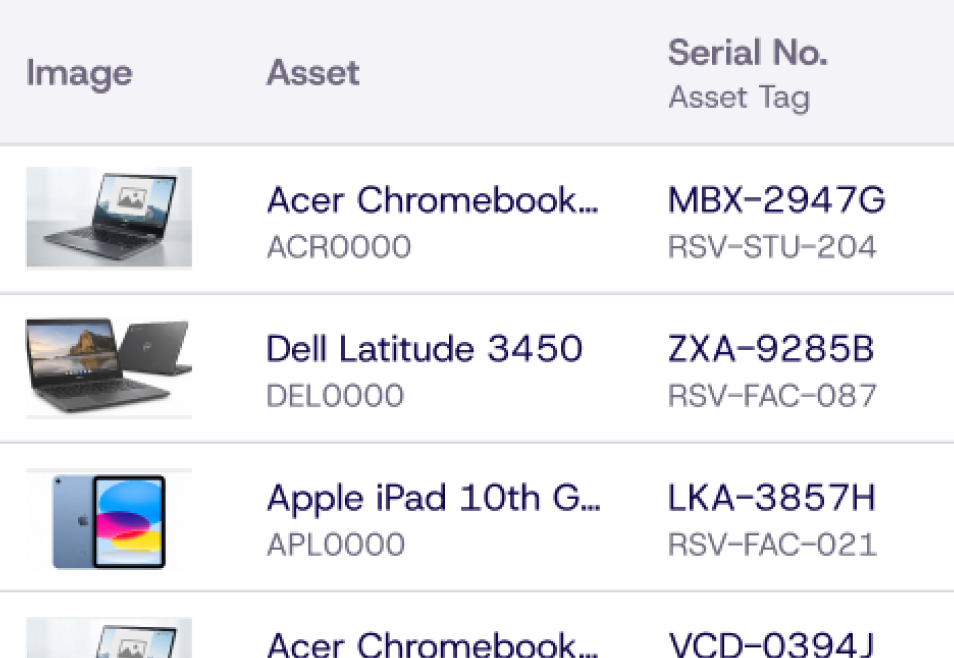
See your entire fleet in one place.
Bring serial numbers, assignments and purchase dates together in Dream, so your team can find what they need without comparing separate spreadsheets.
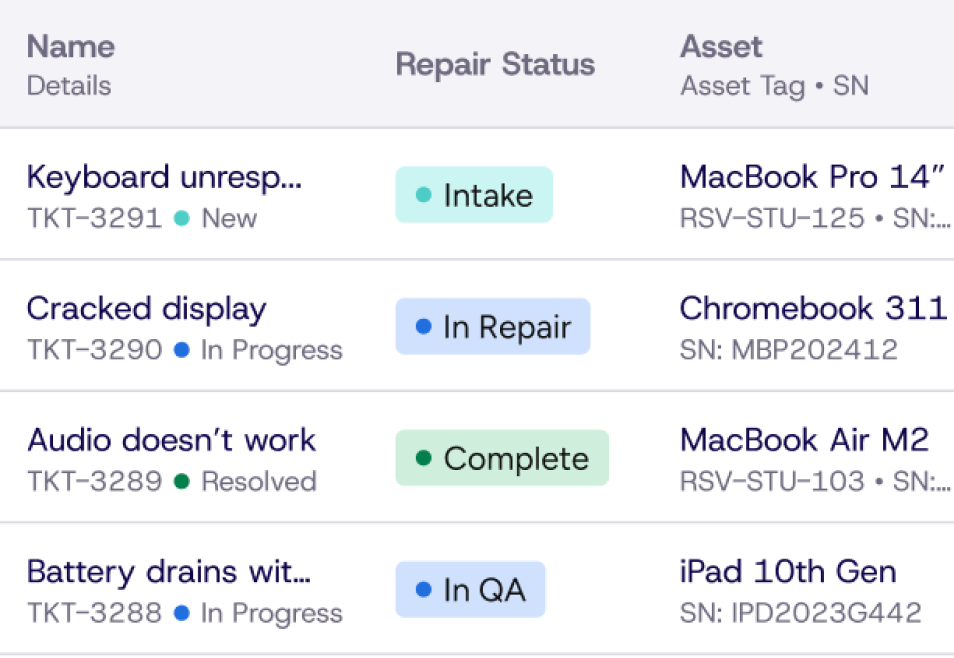
Follow every repair, not every email.
Keep repair statuses, notes and shipping updates together in Dream. Your team can see where each repair stands without searching inboxes for the latest reply.
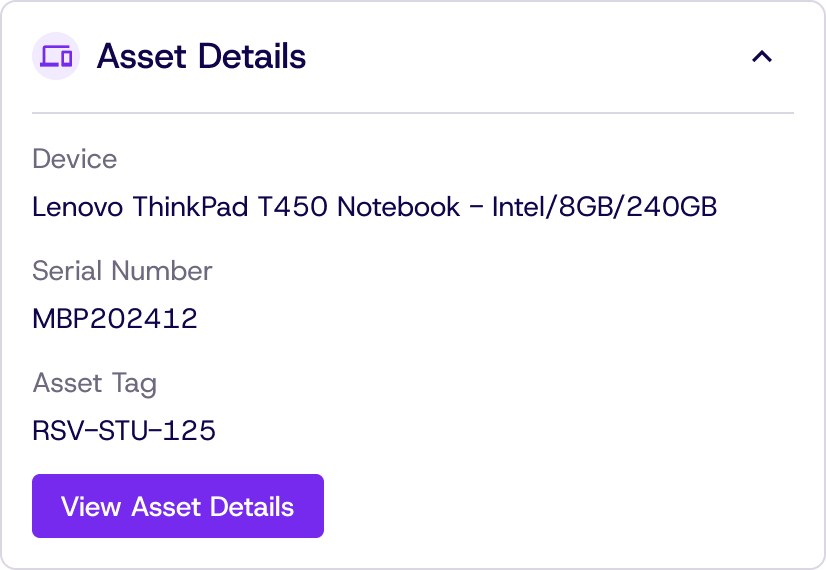
Connect every ticket to the asset.
Dream ties tickets and repairs to the assets they belong to, with parts and warranty information in context. Give technicians the full picture, not just a request.
Bring your tools together. Skip the platform fee.
Manage assets, help desk tickets and repairs in Dream instead of maintaining disconnected tools. Your team works from shared records, with no platform fee.
One system of record
Help Desk · Assets · Academy · Commerce
Supported by reporting, locations, parts, users and Google Admin actions
Help Desk
Help desk built for IT teams
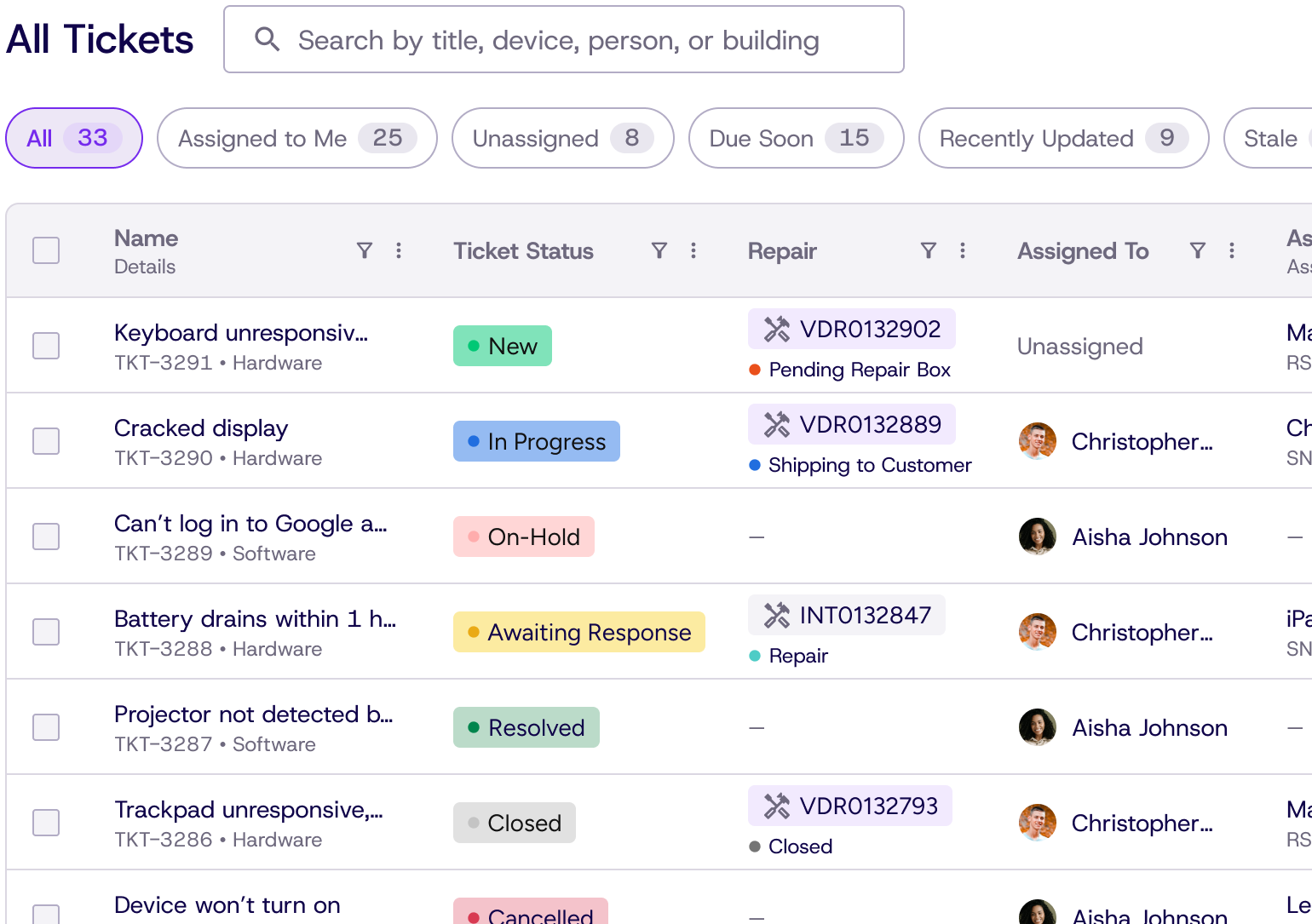
Helpdesk, vendor and internal tickets in one queue, tied to the exact device — so triage starts with the history in front of you.
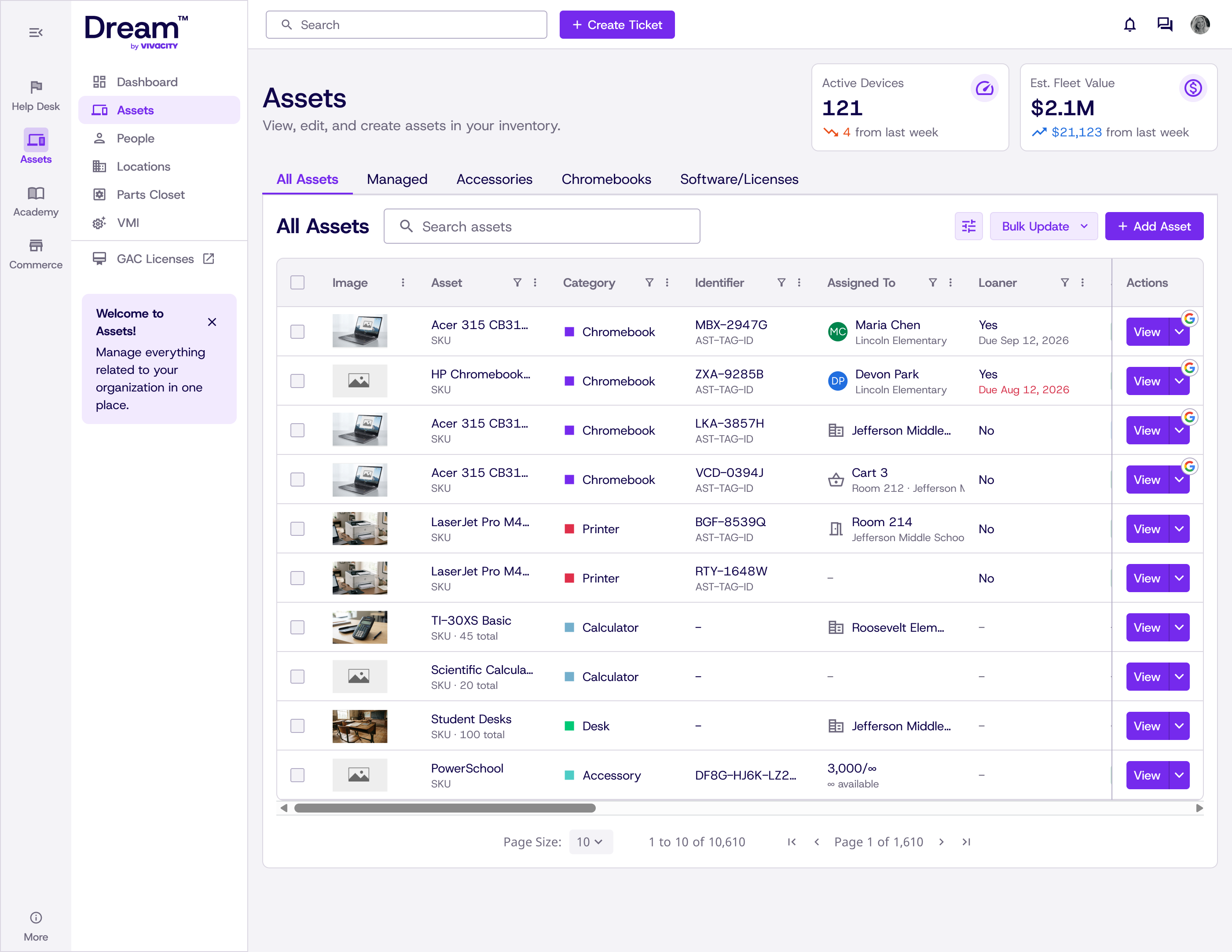
Assets
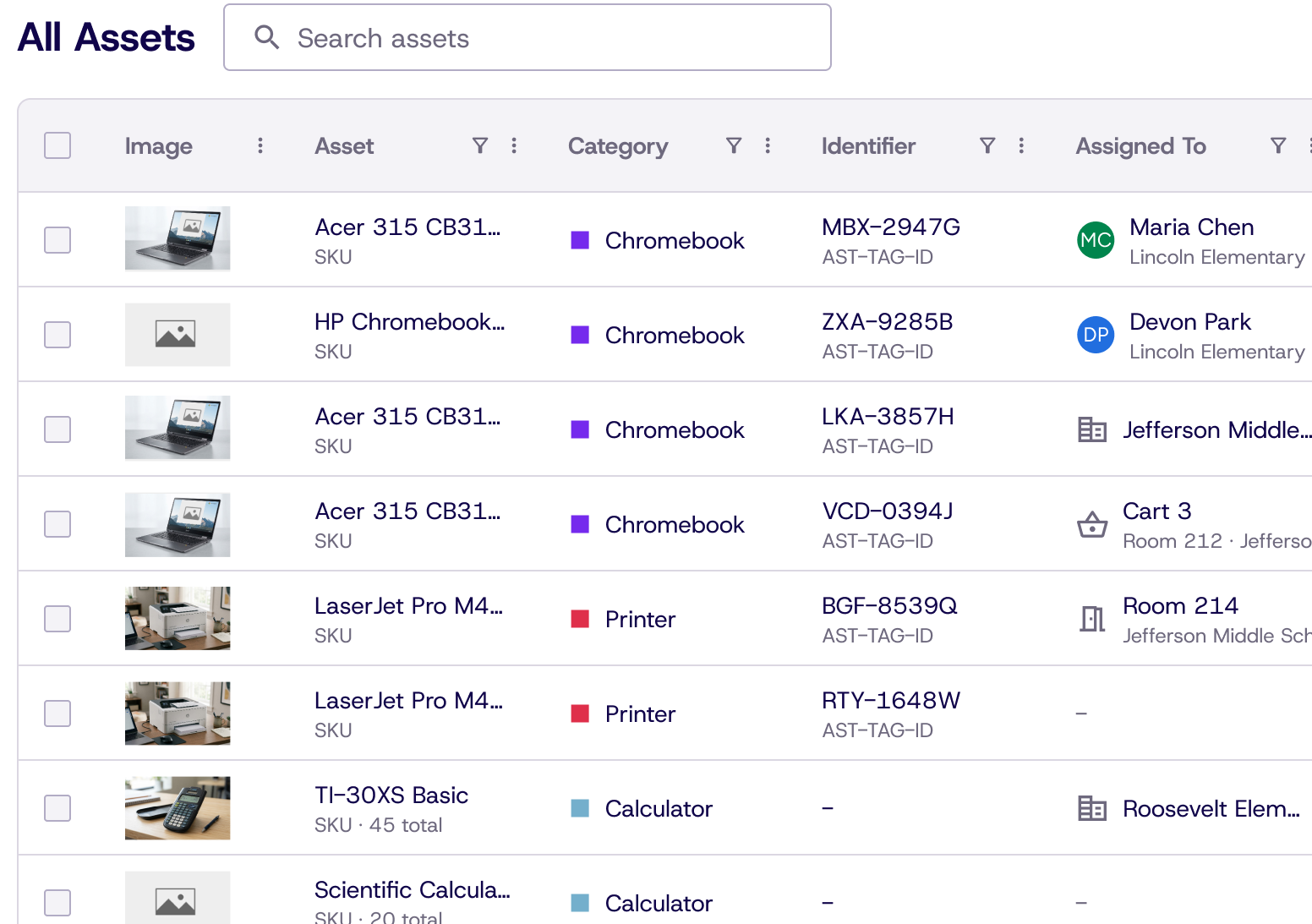
Know where every device is, and who had it last
Intake, assignment, transfers and disposal on one timeline, with every ticket and repair attached. Bulk Google Admin actions and reporting are available as supporting platform capabilities.
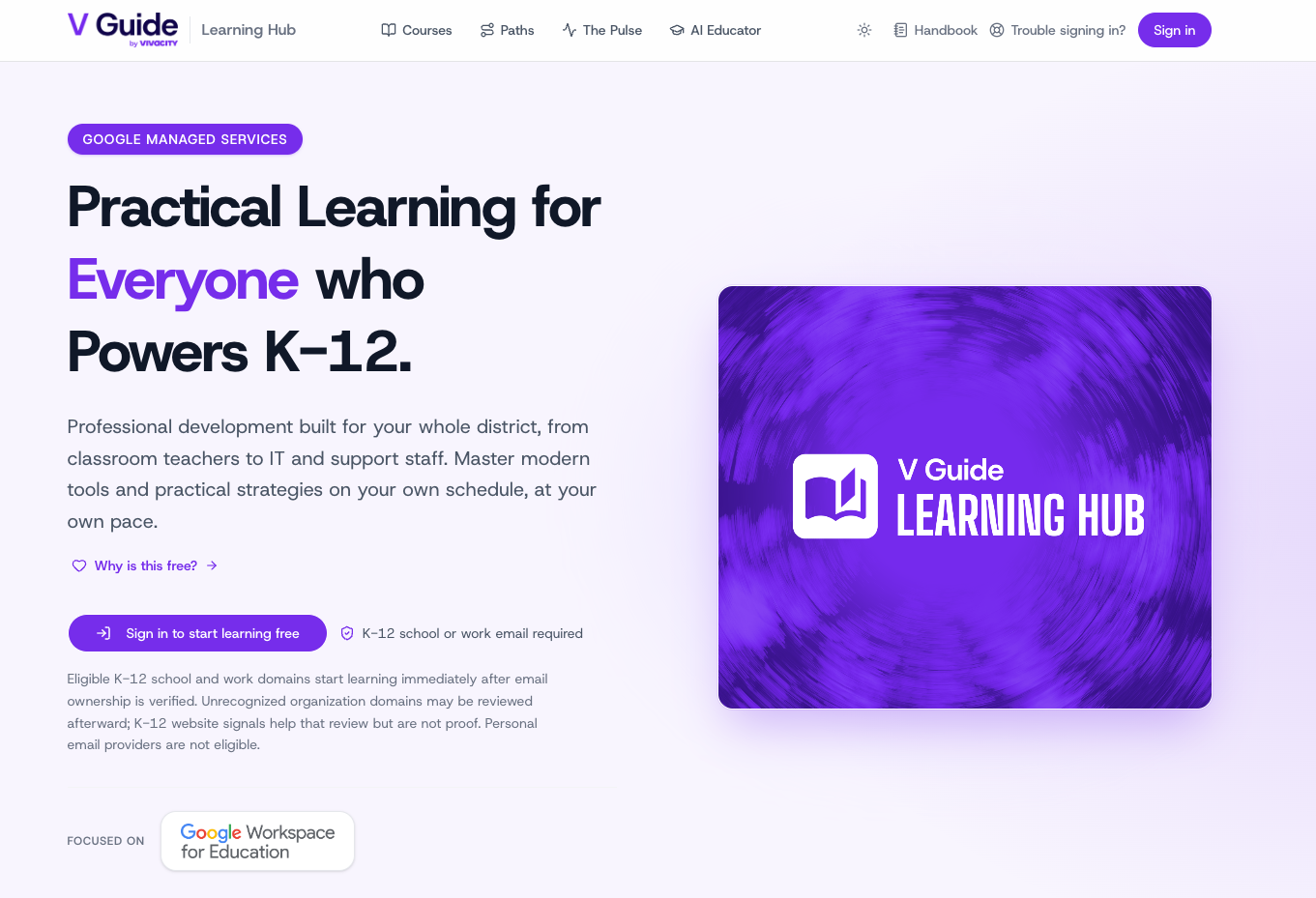
Academy
Get more from Google Admin console
Professional development built for your whole district, from classroom teachers to IT and support staff. Master Google Admin console, Google Workspace tools and practical strategies on your own schedule, at your own pace.
Commerce
Buy parts and assets connected to your account
Parts and assets bought through Dream Commerce are integrated with your Dream account and locations at purchase, with less manual re-entry.
01 help desk · 02 assets · 03 academy · 04 commerce
By the numbers
Managed at scale
Organizations on Dream
New organizations every day
Active Devices
Trust
Security & Compliance
Protecting your data is part of the platform, so your organization can deploy Dream with confidence.
-
SOC 2® Type 1
Independently audited security controls protecting your data.
-
1EdTech Certified
Meeting K–12 standards for student privacy and data practices.
Frequently asked questions
How can the platform cost nothing?
Dream's software carries no license or seat fee, and self-service setup is free. The platform is funded by the hardware and repair parts your organization already buys — closer in shape to a device-and-services model than a typical SaaS subscription.
Can we migrate our Incident IQ data?
Yes. Dream has a dedicated IIQ integration for migrating and syncing an existing environment, so tickets, assets and history come across.
Which systems does Dream sync with?
Google Admin Console for device management, Microsoft Intune for device inventory, Incident IQ for migration, and NetSuite for financial/ERP data.
Do we have to buy hardware through Dream?
No purchase is required. Dream is free to use whether or not you buy parts or assets through us, and you can keep your existing hardware suppliers. Optional purchases help support the free platform.
How long does migration and setup take?
Your timeline depends on fleet size and the amount of data you need to move. Most teams set up themselves with CSV templates, integrations and free documentation. Want us to do the heavy lifting? White-glove onboarding is an optional paid add-on.
Can we import our existing assets and tickets from our current platform?
Yes. Every asset type supports bulk upload via CSV template, so you can move your existing inventory and ticket history into Dream yourself. Prefer to hand it off? White-glove onboarding is an optional paid add-on where our team manages the import for you. Dream also integrates directly with Incident IQ for districts migrating from that platform.
What exactly is Dream 4?
Dream is a full device lifecycle management and help desk platform. Dream 4 is organized into four modules: Help Desk, Assets, Academy and Commerce. Help Desk, Assets and Commerce cover device records, support, repairs and purchasing of parts and assets, with reporting as a supporting capability. Academy provides self-paced professional development in Google Admin console and Google Workspace for classroom teachers, IT teams and support staff—not training on Dream.
Do you offer training and support after rollout?
Absolutely. Hands-on personal training is part of optional paid white-glove onboarding, and our documentation is all free, accessible at any time, and can be found at docs.vivacitytech.com.